In short
Electron ships a whole browser, so rendering is identical everywhere and JavaScript teams move fast. Tauri uses the system's webview with a Rust backend, so apps are lighter and limits are tighter. I'd start by asking whether Tauri can do the job, and move to Electron for a specific reason.
On this page
File Converter Pro is a desktop app with 158 conversion paths across documents, images, audio, video, spreadsheets and config files. Everything happens on your machine, with no uploads and no telemetry. Version 3 was a ground-up rebuild: a Rust conversion engine inside a Tauri 2 shell.
I've worked with both Electron and Tauri. Neither is simply better. Here's how I'd choose.
The core difference
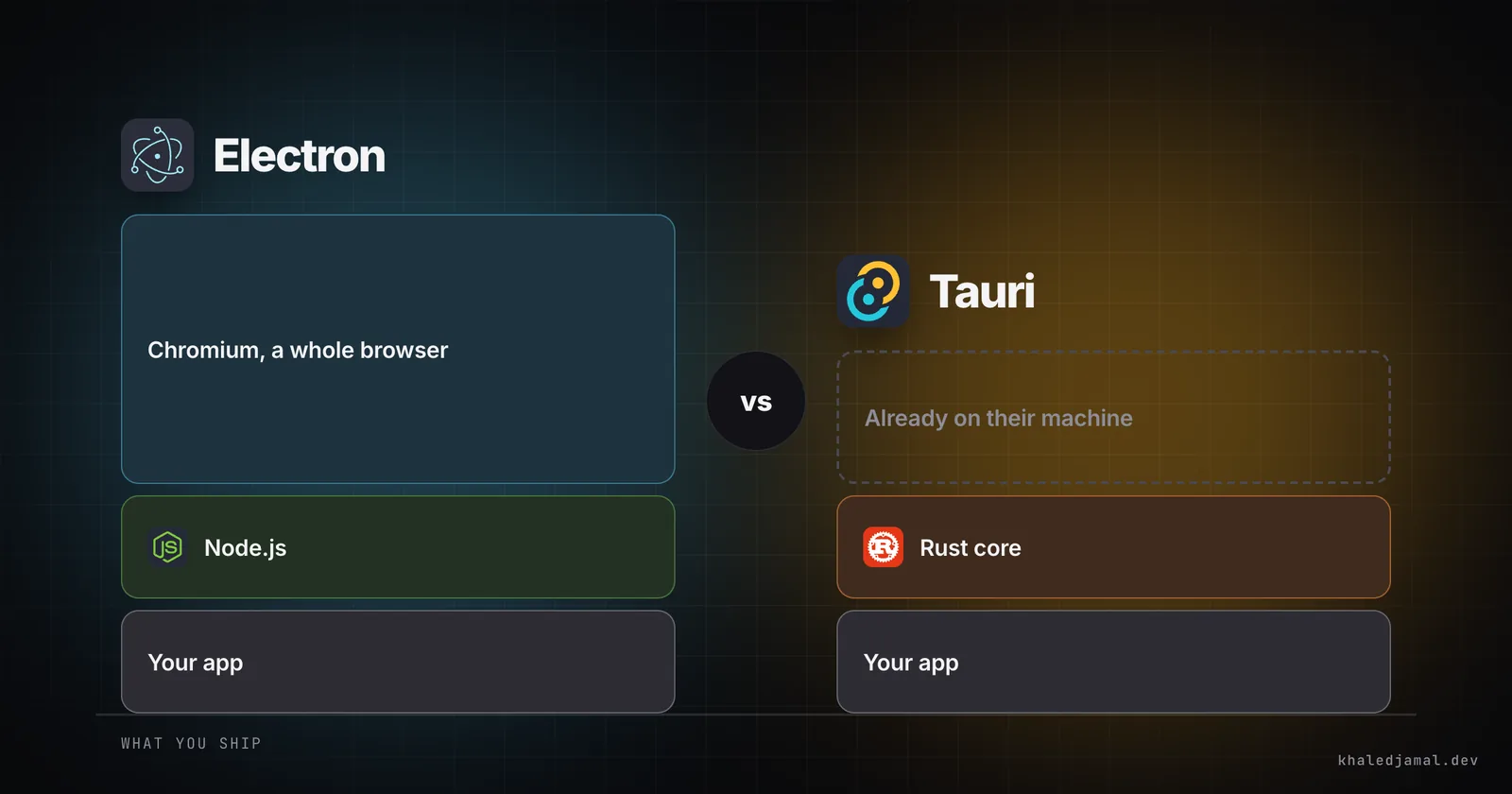
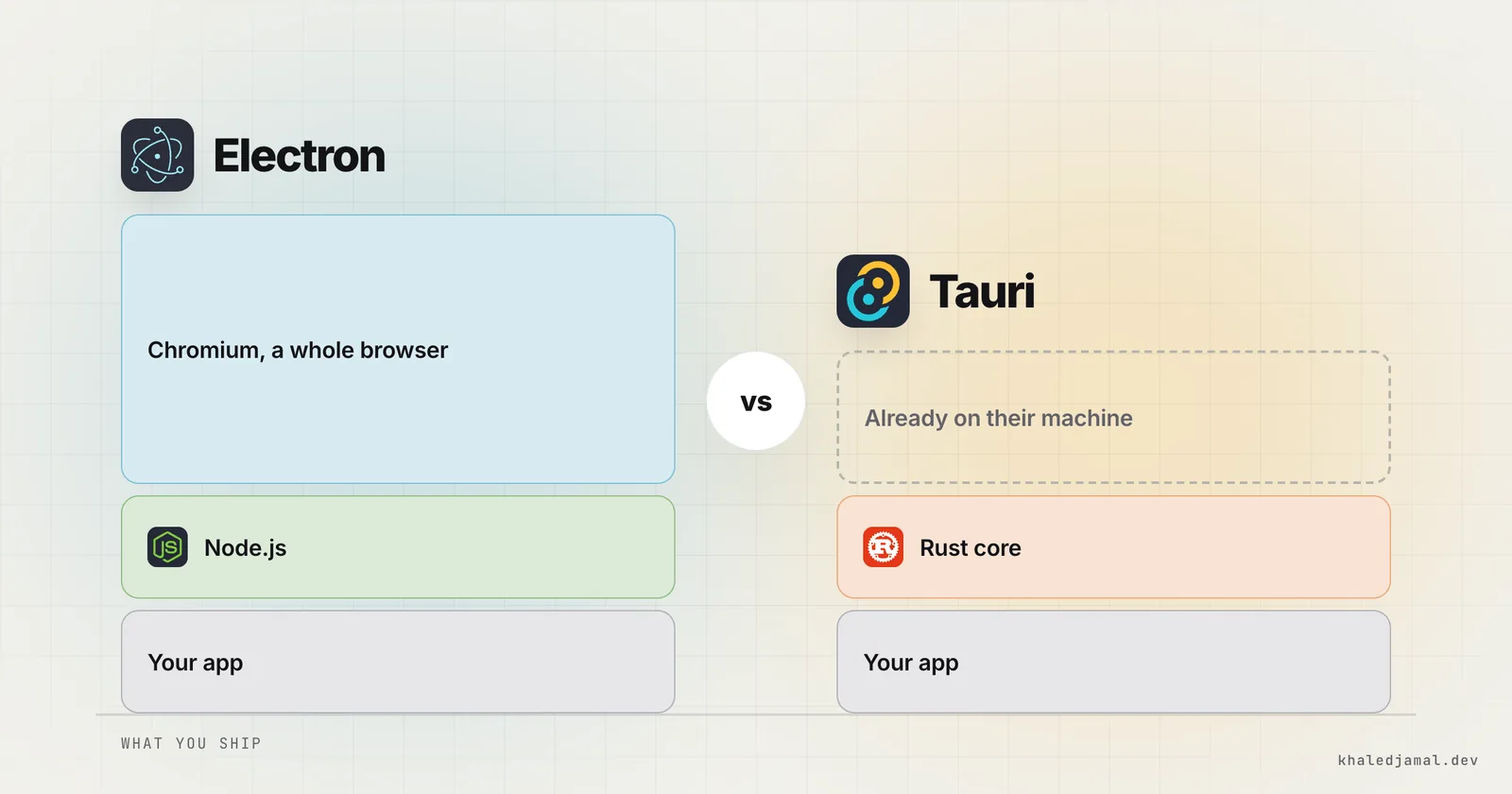
Electron ships a whole browser with your app. You get Chromium for the interface and Node.js for the backend, in every install.
Tauri ships your app and uses the webview that's already on the operating system: WebView2 on Windows, WKWebView on macOS and WebKitGTK on Linux. The backend is Rust.
Almost every other difference follows from that.
Size
This is the headline number, and it's real. A basic Tauri app can be a few megabytes, where a basic Electron app starts at around 100 or more, because it carries its own browser.
The honest caveat is that the gap depends on what your app does. File Converter Pro bundles ffmpeg, Pandoc, Typst and pdfium so nobody has to install anything else. Those tools are large, and no framework makes them smaller. Tauri saved me the browser, not the payload.
So if your app is mostly interface, the difference is dramatic. If it ships heavy tools, it's much less so, and you should compare your real build rather than a hello-world benchmark.
Rendering
This is Electron's biggest real advantage. Everyone gets the same Chromium, so what you test is what they see.
With Tauri, you're running on three different browser engines, and they don't behave identically. For a typical interface this is manageable, but budget time to test on every platform. If your app leans on the newest browser features or heavy graphics, weigh this seriously.
Backend language
If your team writes JavaScript and doesn't know Rust, Electron is much faster to start with. You can use the entire npm ecosystem from the backend.
Rust costs more upfront and pays it back when the backend is the product. A conversion engine spends its life handling large files and untrusted input, which is exactly where Rust's performance and memory safety earn their keep. That's why it was the right call for this app.
Security model
Tauri's interface can only reach what you explicitly allow through its permission system, so a mistake in your frontend has a smaller blast radius. Electron can be locked down well too, but much of that is your job to set up and keep right.
For an app whose promise is that your files stay private, I wanted those limits to be structural.
What neither one does for you
These cost me more time than choosing the framework:
- Code signing. Without it, Windows and macOS warn people away from your app. File Converter Pro is signed on Windows through the SignPath Foundation's open-source program, and signed and notarized by Apple on macOS.
- Bundled tools. Shipping separate binaries for every platform and architecture is fiddly. Each one has to be fetched, packaged and licensed correctly.
- Licences. ffmpeg and Pandoc are GPL. Read what that requires before you bundle them.
- Trust. I publish checksums with every release so people can verify what they downloaded.
- Updates and migration. Moving users from an old version to a rebuilt one needs its own plan.
How I'd choose
Pick Tauri when:
- Install size and memory matter
- The backend does heavy or sensitive work
- You have Rust skills, or you're willing to build them
Pick Electron when:
- You need identical rendering everywhere
- Your team is all JavaScript and speed matters most
- You depend on Node packages or Chromium-only features
Decision tool
Tauri or Electron for your app?
Five questions. The same ones I'd ask you on a call.
1Who's building it?
2What does the backend do?
3How much does rendering need to match across systems?
4Does install size and memory matter to your users?
5Do you rely on Node packages or Chromium-only features?
Your answer
Questions left until I can tell you what I'd pick: 5
For most new desktop apps today, I'd start by asking whether Tauri can do the job, and move to Electron only for a specific reason. But an Electron app that ships beats a Tauri app that doesn't.
You can download File Converter Pro to see the result, or talk to me about a desktop app.
Written by Khaled Jamal
Software engineer in Beirut, known online as Dequavious, and founder of Helm. I build SaaS platforms, AI agents, desktop apps and client sites end to end.